Moves, copies and renames, labeled
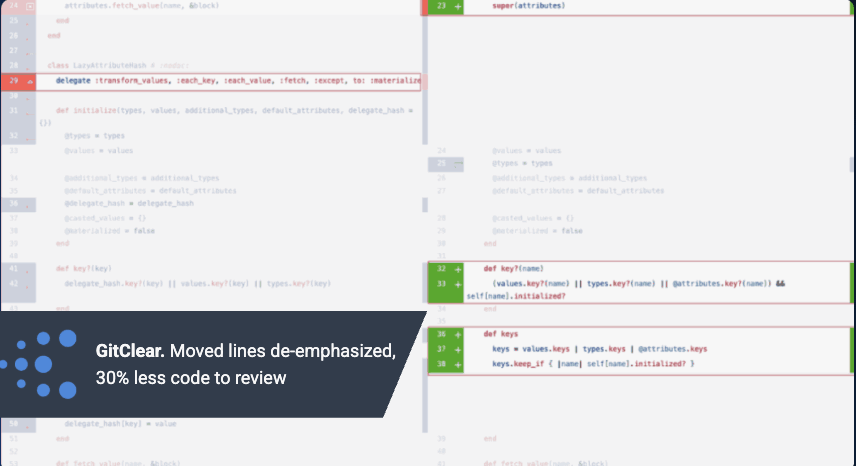
Diff Digest recognizes moved and copied code, and de-emphasizes find/replace and keyword churn so you can concentrate on the changes that need a closer look.
$ git diff main...feature/ai-refactor --stat 1,284 files changed · # who wrote this, and which 13 files matter?
The AI diff viewer
Diff Digest is a modern diff viewer for AI code review. It labels which lines an LLM wrote, sorts files by how much they need a human, recognizes moved and find-replaced code, and answers “why was this added?” without leaving the line.
29%
less PR review time across 49 developers
6
change types instead of “added” and “deleted”
Per line
LLM vs. human authorship
Deep Dive · line 43
Why was this guard added — is it tested?
Added when invoices with no line items started returning nil from the tax calculation. Covered by invoice_spec.rb:212.
@@ -2021 +2026 @@ why an AI diff viewer had to exist
GitClear has spent years classifying every changed line in hundreds of millions of commits: added, deleted, updated, moved, copy/pasted, find/replaced. That research is where the AI code quality alarm first showed up. As LLM authorship scaled, code reuse fell and duplication climbed, while pull requests got bigger and harder to trust.
Diff Digest is what happens when you point that same line classifier at a code review. The operation labels that make the research possible are drawn directly in your diff, so a reviewer sees what the research sees.
Read the 2025–2026 AI code quality research →Copy/paste overtook moved code
Share of changed lines, GitClear AI code quality research
Endpoints only; 211M changed lines analyzed. Moved lines are the signature of refactoring and reuse.
+81%
code block duplication vs. 2022, with refactoring down 70%
GitClear · Maintainability Gap, Jun 2026
6×
larger: Claude's average PR compared with a human's
arXiv · Popescu et al., Apr 2026
5 days
of cycle time for an AI fix that took under 5 minutes, spent waiting on review
Google DORA AI Capabilities, 2025
3.1%
of developers "highly trust" the accuracy of AI output
Stack Overflow Developer Survey, 2025
@@ features @@ time-saving differences, visualized
When most of a pull request was written by an agent, reading every line top to bottom stops being a plan. Diff Digest gives each change a type, an author, a weight and an explanation.
01 · Configurable Review Depth
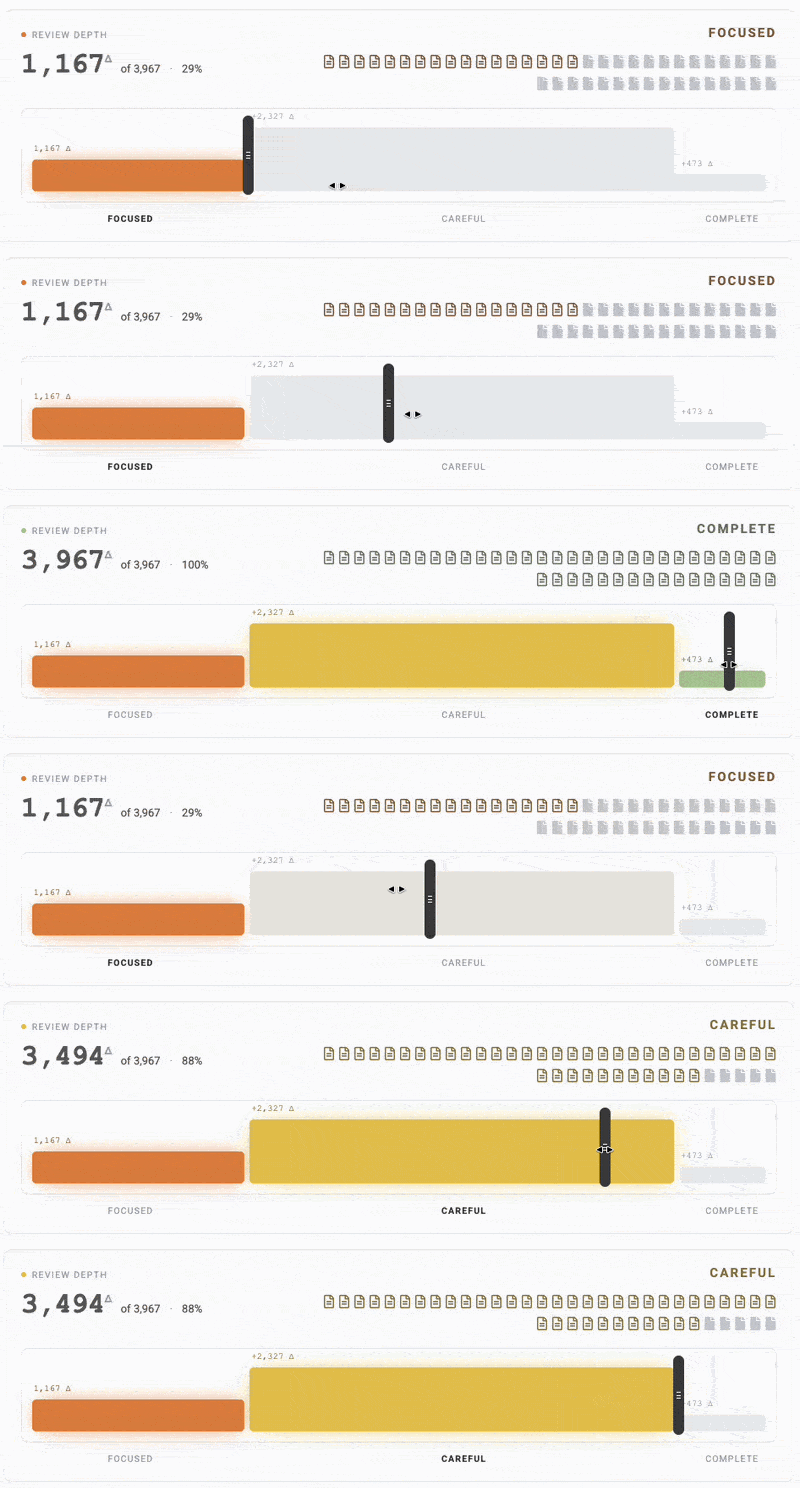
Every changed file is sorted into a salience tier. Drag the slider toward Essential when you are short on time and only the files most likely to break production open by default. Drag it to Complete when you want everything.
02 · LLM attribution
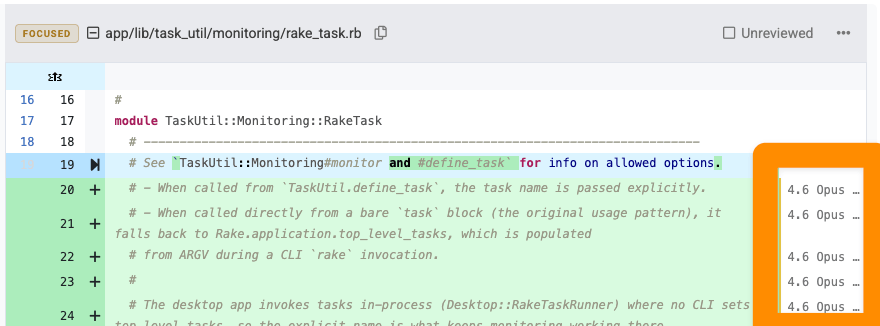
A familiar model, an unfamiliar agent, or a human teammate: knowing who wrote a line helps you decide where to slow down. With GitClear’s telemetry package installed, the authorship gutter identifies the model behind attributed lines. Bring your own experience with each model to the review.
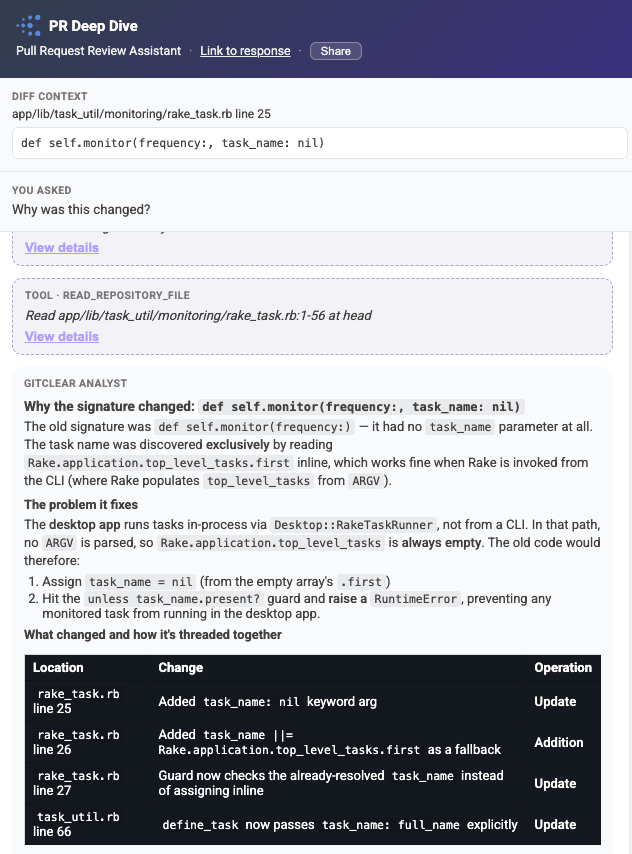
03 · Deep Dive code review chat
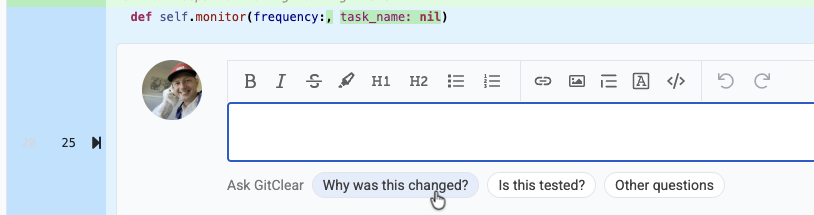
A puzzling comment or a method that looks like a repeat deserves more context. Click the + beside a line and ask why it changed, whether it is tested, or how it could be simpler. Deep Dive follows the code and its history so you can decide whether the explanation holds up.
Deep Dive is included with Diff Digest Pro and GitClear Elite.
04 · Review progress, persisted
Files are marked reviewed as you scroll past their last line. When more commits land, Diff Digest builds a diff with a different commit range for each file: incremental changes for the ones you read, the full change for the ones you didn’t. One click restores the complete diff against main.
Diff Digest recognizes moved and copied code, and de-emphasizes find/replace and keyword churn so you can concentrate on the changes that need a closer look.
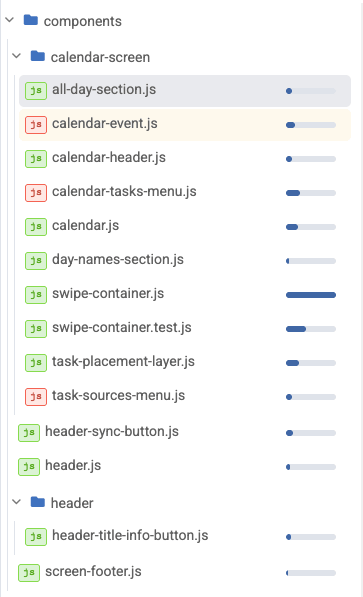
A Diff Delta meter beside every file shows where the real change energy accumulated, before you open anything.
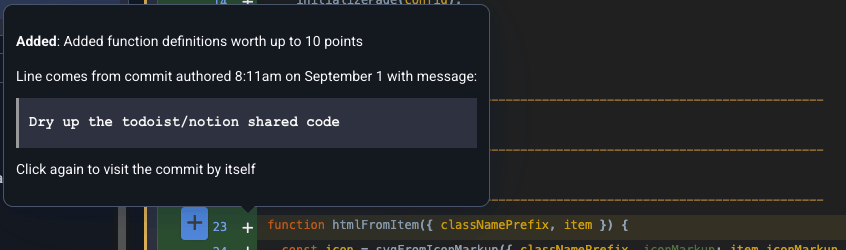
Hover any line to see the commit message behind its last meaningful change, its Diff Delta, and the auto-hidden before side.
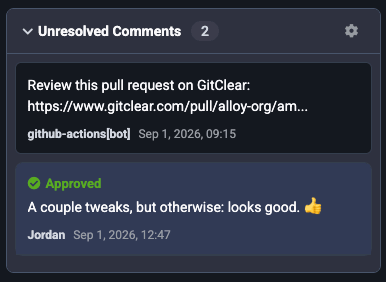
Authors see every unresolved inline comment, grouped by reviewer. Each disappears from the list as it's resolved.
Files heavy with both additions and deletions open in split view; everything else stays unified and compact.
Prefer the colors and icons you already know? Every file has a toggle between GitClear and GitHub styling.
@@ compare @@ modern diff viewer vs. standard line diff
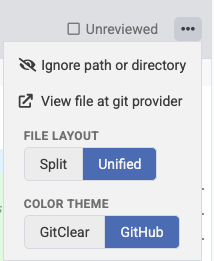
Line diffs were designed for an era when a human wrote every change and the commit message explained it. Here is what a reviewer can know at a glance in each.
7 lines to read. Was it deleted or moved? Who wrote it?
2 lines need real attention. The rename is reviewed once, not 41 times.
| What the reviewer can see | Standard line diff | Diff Digest |
|---|---|---|
| Which lines an LLM wrote, and which model | — | Per line + per file % |
| Moved code distinguished from deleted code | — | Labeled with source |
| Which files are essential to review | Alphabetical order | Four salience tiers |
| What changed since your last review session | — | Per-file commit ranges |
| Why a line changed, without leaving the diff | Separate blame view | Hover + Deep Dive LLM |
Comparing specific tools? See The Best Git Diff Viewers of 2026, ten clients scored on an open rubric.
@@ start @@ open your next PR in Diff Digest
Run it locally with Diff Digest, or open any commit or PR in GitClear. Reviews stay in sync with GitHub, so nobody on your team has to switch tools for you to try it.
macOS today; Linux and Windows next. The free build never expires and covers up to 10 repositories. Pro is $5/month or $99 for life.
# any commit, short or full sha
gitclear.com/c/[sha]
# any pull request, by provider PR id
gitclear.com/p/[pr-id]
# one click from a GitHub PR
GitClear Chrome Extension
FAQ
A diff viewer built for code that is increasingly written by LLMs: it attributes lines to models, ranks changes by review importance, and lets an LLM explain a change in place.
Most precisely through GitClear's AI telemetry packages, which attribute individual lines. LLM API integrations provide attribution at lower granularity.
It sits alongside it. Comments sync both ways between GitClear and GitHub, and GitHub emulation mode keeps the familiar look.
GitClear's Diff Delta™ metric measures the durable change energy in each line. It powers Diff Digest's file meters and review ordering. See the research.
Diff Digest AI diff viewer