Diff Digest v0.3.14 · macOS today · Linux & Windows next
The first diff viewer that spans every repo you're responsible for.
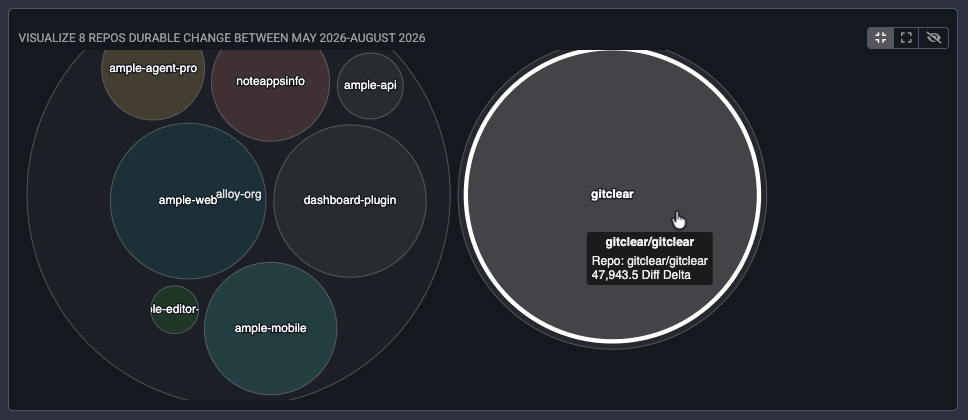
Diff Digest runs on your machine. It reads across organizations and repositories at once, and it ranks what changed by how much work it represents — not by what time it landed. We surveyed ten leading git viewers looking for another tool that does both. There isn't one.
Free to download, and free to keep using — no trial clock. Ten years of commit-crunching, packaged to run offline on a laptop. Pro features run $5 a month, or $99 for life.
The vocabulary problem
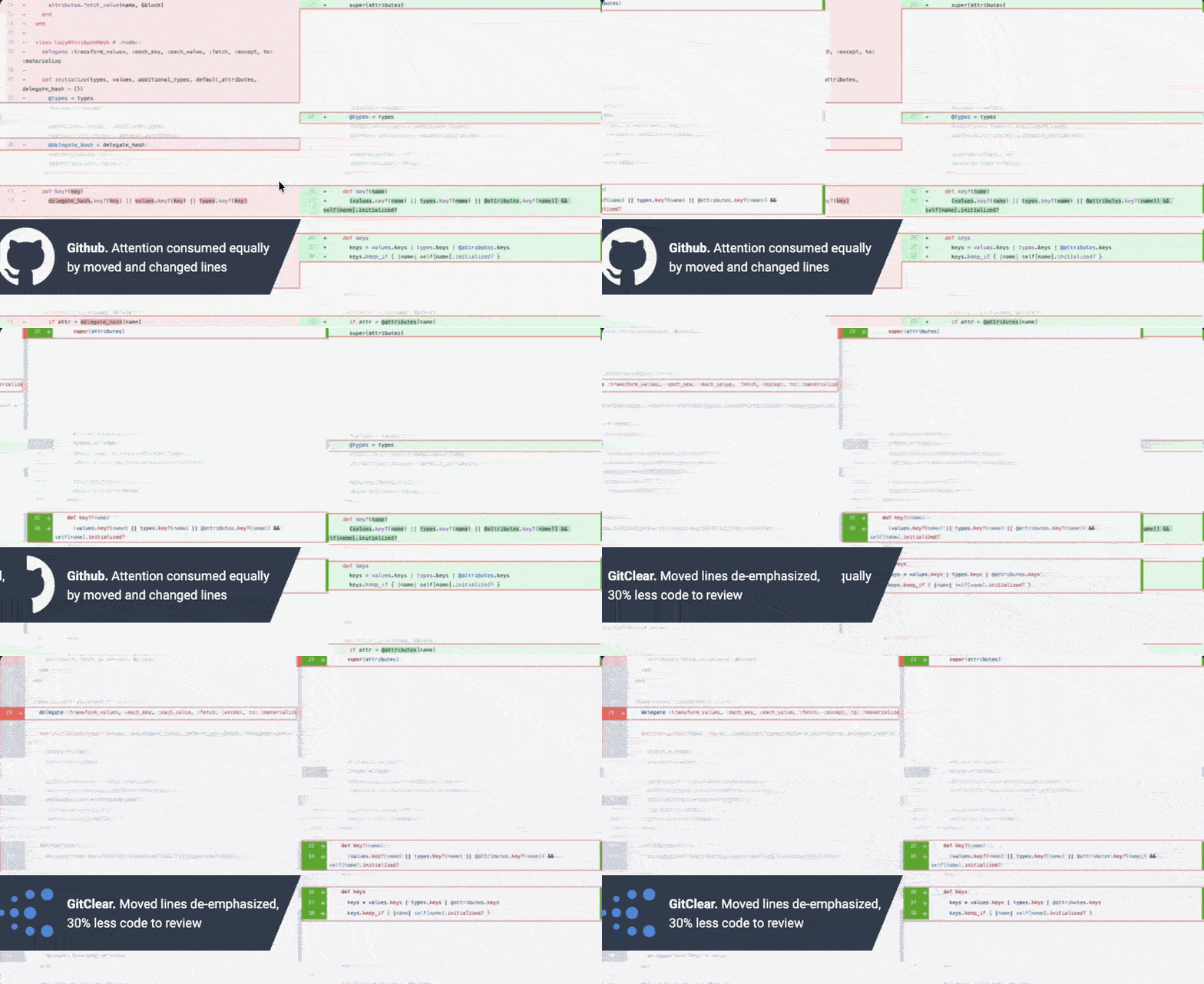
Every diff tool ever built has two words for what happened to a line.
Added, or deleted. That's the whole vocabulary. So a file bathed in red might have been gutted — or it might have been renamed, reindented, or cut and pasted forty lines down. You can't tell without reading it, so you read it.
What Diff Digest sees instead
Consolidating and refactoring are daily work. Cut-and-pasted lines and renamed files aren't deletions. They're relocations, and they're marked as such.
A line that keeps most of its value was tweaked, not replaced. Diff Digest highlights the changed fragment and carries the line's history forward.
A project-wide rename is one decision, not two hundred. Review the decision once instead of scrolling past every instance of it.
Reindenting a block registers as a full delete in git. Unless you configure otherwise, Diff Digest treats it as the no-op it is.
Added and deleted still mean added and deleted. Six categories, not two.
Capability matrix
We went looking for a viewer that does this already.
We reviewed the ten most widely used downloadable git viewers of 2026 — their default landing views, their multi-repo features, and whether any of them distinguishes a consequential commit from a trivial one. Every one of them opens on a single repository's chronological commit graph. GitKraken Workspaces is the only real cross-repo layer on the market, and it aggregates branch status and open pull requests rather than change itself.
| Capability | Diff Digest | GitKraken | GitHub Desktop | Sourcetree | Tower | Fork | Sublime Merge | SmartGit | GitButler | Lazygit |
|---|---|---|---|---|---|---|---|---|---|---|
| One activity view spanning many repositories not a repo list — a feed of what changed | ● | ◐ 1 | — | — | — | — | — | — | — | — |
| Spans multiple organizations at once entity → organization → repo → file | ● | ◐ 1 | — | — | — | — | — | — | — | — |
| Change ranked by impact, not chronology | ● | ◐ 2 | — | — | — | — | — | — | — | — |
| Distinguishes moved code from added and deleted | ● | — | — | — | — | — | — | — | — | — |
| Treats a tweaked line as an update carries the original line's history forward | ● | ◐ 3 | ◐ 3 | ◐ 3 | ◐ 3 | ◐ 3 | ◐ 3 | ◐ 3 | — | — |
| Collapses a project-wide rename into one review | ● | — | — | — | — | — | — | — | — | — |
| Suppresses whitespace-only noise by default not behind a toggle | ● | ◐ 4 | ◐ 4 | ◐ 4 | ◐ 4 | ◐ 4 | ◐ 4 | ◐ 4 | — | ◐ 4 |
| Shows only what changed since your last review | ● | — | — | — | — | — | — | — | — | — |
| Hover any line for the author's own explanation inside the diff, not a separate blame pane | ● | ◐ 5 | — | ◐ 5 | ◐ 5 | ◐ 5 | ◐ 5 | ◐ 5 | — | — |
| Blame that follows a line through moves and renames | ● Pro | — | — | — | — | — | — | — | — | — |
| Runs locally, on your own machine | ● | ● | ● | ● | ● | ● | ● | ● | ● | ● |
- GitKraken Workspaces group repositories across providers and support bulk fetch, clone and open, plus an aggregated pull request list. They surface branch status and PR state — not a combined feed of what changed inside those repos.
- GitKraken's Workspace pull request view shows a complexity indicator derived from raw lines, files and commit count. It is scoped to a pull request rather than a commit feed, and it does not appear in the commit graph.
- Most mature clients highlight changed words within a line. None of them reclassify the line as an update or carry its prior history forward, so the line still reads as one deletion plus one addition.
- Whitespace suppression exists in most clients as a setting a reviewer must find and enable, and it is generally not the default.
- Blame and annotate views exist widely, and GitLens surfaces line hovers inside VS Code. In every case the explanation lives outside the pull request diff you are actually reviewing.
Capabilities assessed against publicly documented behavior as of October 2026. Vendors ship quickly; corrections welcome. Diff Digest capabilities tagged Pro need a subscription; everything else is in the free download, which processes up to 10 repositories.
What you get in the box
Built by people who review code every day, and resented every minute of it.
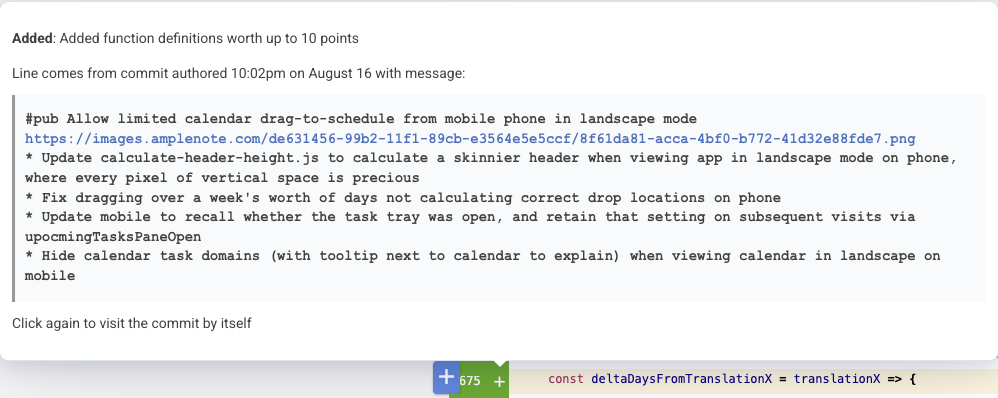
Why is this line here
The author already explained it. Diff Digest just puts the explanation where you'll see it.
Hover any line in a pull request and you get the commit message its author wrote when they made the change, along with what the line is worth. The more carefully your team commits, the more context reviewers inherit for free.
Rich blame Pro
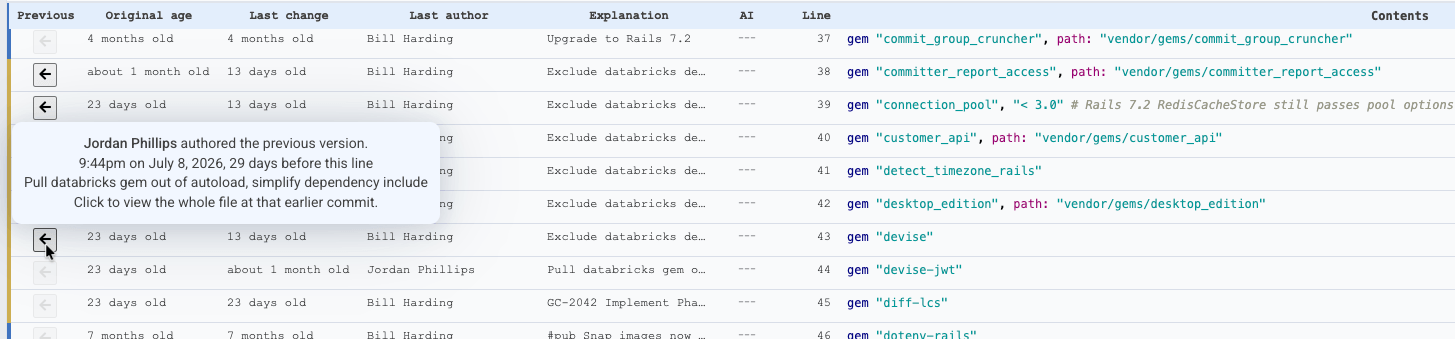
Standard blame stops at the last person who touched the file. This one keeps going.
The commit-crunching engine threads each line back through function moves, file renames, updates and find-replaces — so you can see how a line actually arrived at its current state, including how much of it originated with an AI assistant.
Resume where you left off
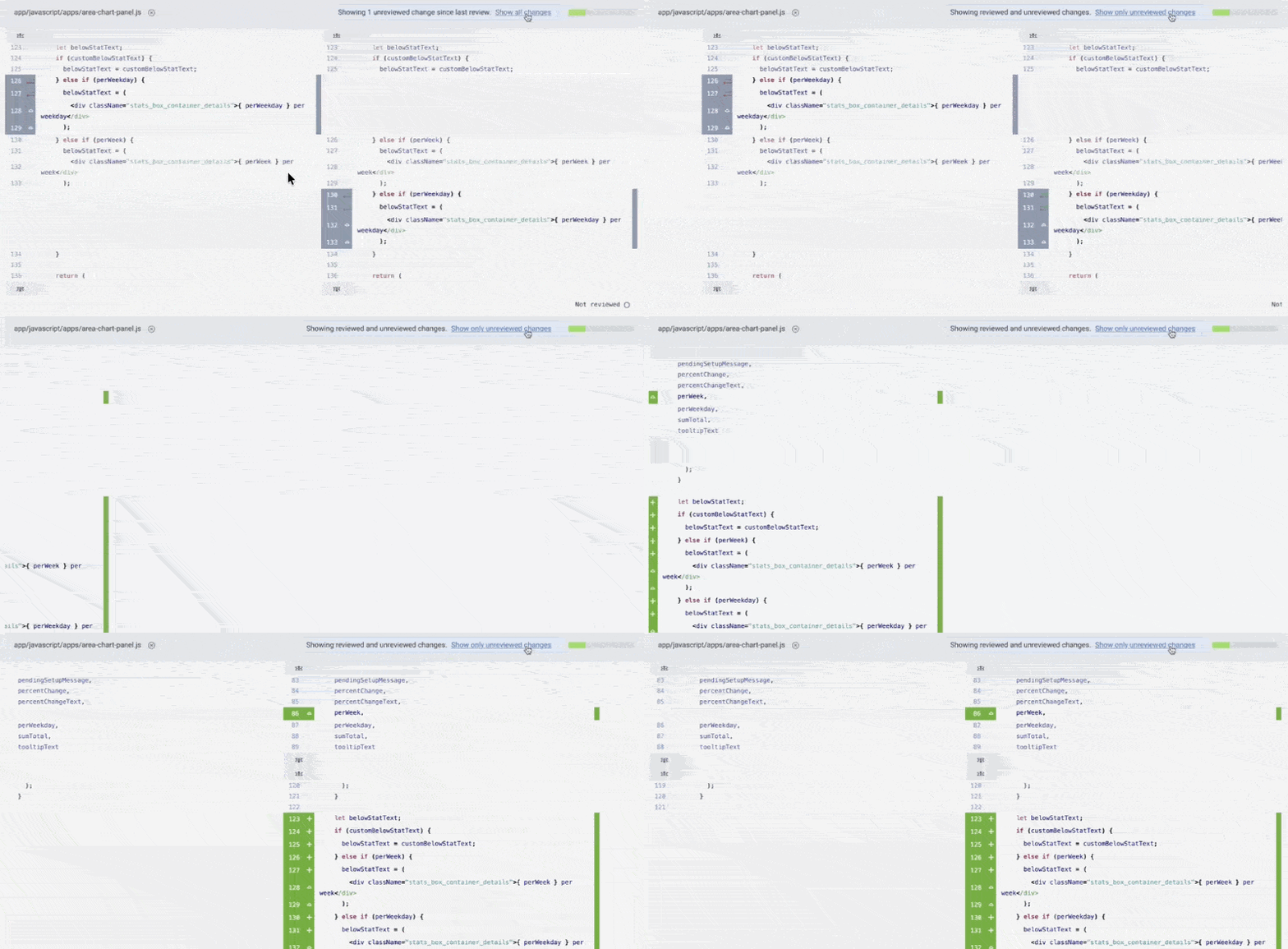
Come back to a long pull request and see only what moved while you were gone.
Diff Digest records which version of each file you reviewed, then assembles a diff that uses a different commit range per file. Files you already read show only their new changes; files you never opened show everything. One click at the top of any file expands it back to the full difference against main.
Triage before you start
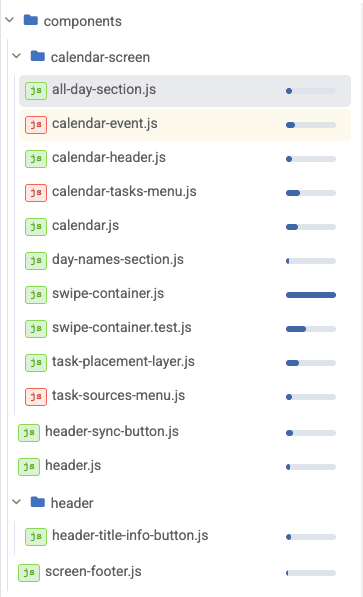
Twenty minutes and forty changed files. Which four matter?
The file tree shows how much genuine change lives in each file before you open any of them, so a short review session lands on the code that needs a human rather than the code that got reindented.
Pricing
Free to download. Free to keep using. Pro when you want the rest.
The free build is a finished diff viewer, not a trial: it never expires, it reads private repositories, and it gives you the whole change lexicon on up to 10 repositories. Pro adds the parts that need the full history — synced pull request reviews, grouped daily activity, LLM authorship measurement and history-following blame.
Hobbyist & Open Source
- Cross-organization, cross-repository activity browsing
- The full change lexicon: moved, updated, find-replaced, whitespace
- Line-level hover explanations, drawn from the authoring commit
- Incremental review — only what changed since you last looked
- Up to 10 repositories processed
- Runs entirely on your machine, offline, private repositories included
No account tier, no seat count, no private-repository upcharge. Download it and it stays yours.
Pro Subscription
- Fully synced pull request reviews
- Commits grouped by theme in your daily activity
- Percent of your code written by an LLM, and how LLM-written code holds up against human-written code over time
- Historical processing up to 10 years back
- Commit Activity Browser days beyond the free window
- Date selection more than three months old
- Blame that follows a line through moves, renames and partial updates
- Unlimited repositories processed
Identical features either way: pay monthly for no long commitment, or annually for two months free.
Pro Lifetime
- Fully synced pull request reviews
- Commits grouped by theme in your daily activity
- Percent of your code written by an LLM, and how LLM-written code holds up against human-written code over time
- Historical processing up to 10 years back
- Commit Activity Browser days beyond the free window
- Date selection more than three months old
- Blame that follows a line through moves, renames and partial updates
- Unlimited repositories processed
Paid once, and includes two years of updates; the version you own keeps working after that.
What it needs
- macOS 13 (Ventura) or later
- Apple Silicon (M-series) Mac — Intel builds are not available yet
- ~300 MB download; the app ships its own Ruby, PostgreSQL and git
- Once installed, Diff Digest keeps itself up to date automatically
The download is free and stays free; upgrade to Pro from inside the app whenever you want the rest. macOS today, Linux and Windows builds next. Ten years of commit-crunching, now running on your laptop.